Phone Screen Flickering on Phones: Causes and Repair Options
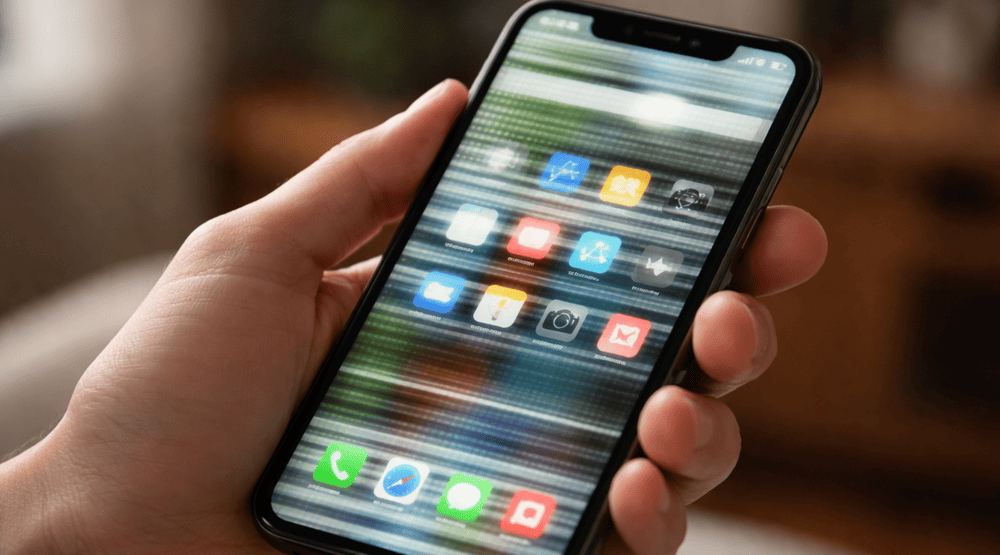
Phone Screen Flickering on Phones: Causes and Repair Options. A flickering phone screen is one of the most frustrating issues a user can face. It interrupts browsing, scrolling, watching videos, or even making calls. While many think a flickering screen automatically means a broken phone, that’s not always true. In fact, there are several common causes and repair options that can fix the issue quickly. At Snapfix Mobile Repairs, we help clients identify and resolve screen flickering problems efficiently.
In this article, we explain why phone screens flicker, what causes it, and what repair options you have. We also include practical tips to prevent this issue in the future.
What Is Phone Screen Flickering?
Phone screen flickering occurs when your display blinks, flashes, or changes brightness rapidly without user input. Sometimes it happens intermittently, while other times it can be continuous. It can affect both LCD and OLED screens, and may appear as:
-
Horizontal or vertical lines
-
Brightness flicker
-
Random colour flashes
-
Unresponsive touch screen
Understanding the type of flicker helps technicians diagnose the problem correctly.
Common Causes of Screen Flickering
Several factors can cause your phone display to flicker. These include software, hardware, or even environmental issues.
1. Software Glitches
Many times, screen flickering is due to software bugs. For example:
-
Outdated operating system
-
Corrupted apps
-
Background processes consuming resources
Updating your software or performing a factory reset often solves flickering caused by software.
2. Display Settings
Some phones have adaptive brightness or screen refresh settings that may trigger flickering.
| Setting | Potential Issue |
|---|---|
| Adaptive Brightness | Rapid brightness changes |
| High Refresh Rate | Incompatibility with apps |
| Night Mode | Colour flicker during transitions |
Turning off these settings temporarily can help identify the cause.
3. Loose Connections
A loose display connector inside the phone can cause flickering. This is more common after drops or impacts.
4. Damaged Screen
Cracked or damaged LCD/OLED panels often flicker. Even minor cracks can disrupt the display, especially if the digitiser or backlight is affected.
5. Battery or Power Supply Issues
Fluctuations in voltage from a faulty battery or charging issues can make the screen flicker. Low-quality chargers can also contribute.
Repair Options for Flickering Screens
Once the cause is identified, technicians can recommend the appropriate solution.
1. Software Fixes
For software-related flickering:
-
Update your OS to the latest version
-
Uninstall recently installed apps
-
Reset the device to factory settings (after backing up data)
2. Adjust Display Settings
Disabling adaptive brightness or lowering the refresh rate often solves flickering. For OLED screens, turning off automatic brightness can help.
3. Professional Hardware Repair
If the flicker is due to loose connections or a damaged screen, professional repair is required. At Snapfix Mobile Repairs, our technicians can:
-
Reconnect internal display cables
-
Replace broken LCD or OLED panels
-
Test the device after repair for optimal performance
4. Battery Replacement
If the issue is power-related, replacing the battery or using a certified charger can fix flickering issues caused by inconsistent voltage.
DIY Tips to Prevent Screen Flickering
While some flickering issues require professional help, certain preventive measures can reduce risk:
-
Use original chargers and cables
-
Avoid overloading your phone with multiple heavy apps
-
Keep your phone updated with the latest OS
-
Protect your phone from drops and physical damage
-
Avoid exposing the phone to extreme heat
Comparison: Software vs Hardware Flickering
| Issue Type | Signs | Solution | Time to Fix |
|---|---|---|---|
| Software | Flicker after app updates, random brightness changes | Update OS, reset phone | 10–30 mins |
| Hardware | Flicker after drops, physical screen damage, loose connectors | Screen or battery replacement | 30 mins – 2 hours |
Why Choose Snapfix Mobile Repairs
At Snapfix Mobile Repairs, we specialise in screen repairs and diagnostics. Our advantages include:
-
Quick and reliable service
-
Experienced technicians
-
High-quality replacement parts
-
Transparent pricing
-
Same-day repair options for most models
We ensure your phone is restored to full functionality without unnecessary delays.
Conclusion
Phone screen flickering can disrupt daily life, but understanding the cause is key to a proper solution. Whether it’s a software glitch, loose connection, or damaged screen, professional repair ensures your device works as intended. By following preventive measures, you can minimise the risk of flickering in the future.
Social:
https://au.pinterest.com/pin/1118089045011042881/
https://x.com/snapfixmobile/status/2033849649677865067
https://www.linkedin.com/feed/update/urn:li:share:7439615768226332672/


Comments
Post a Comment