Top Signs Your Smartphone Needs Immediate Repair
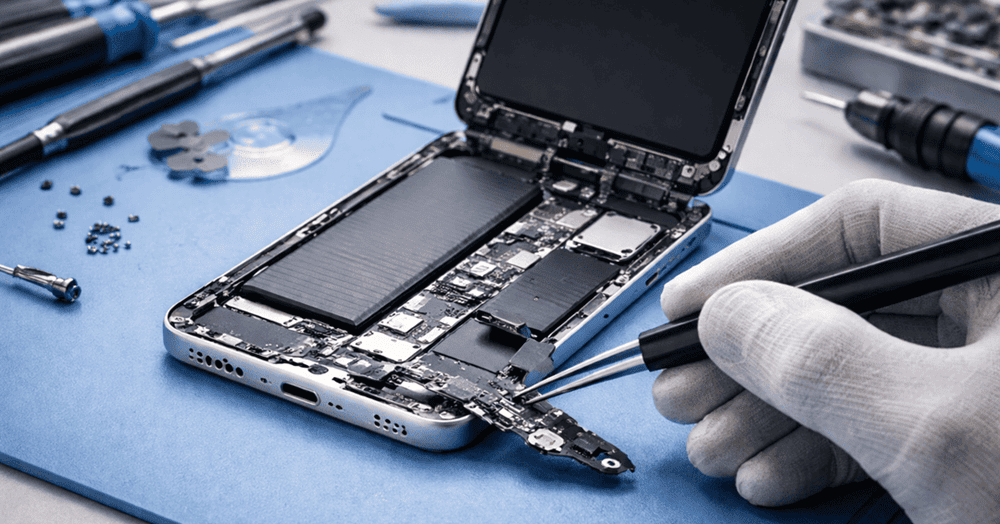
At Snapfix Mobile Repairs, we often encounter customers who wait too long before getting their smartphones checked. This guide explains the top signs your smartphone needs immediate repair, helping you take quick action and prevent further damage.
1. Cracked or Damaged Screen
A cracked screen is one of the most obvious signs that your smartphone needs repair. Even minor cracks can worsen over time, causing touchscreen issues, dead pixels, or internal damage.
Why it matters:
-
A damaged screen can expose internal components to dust, moisture, and further damage.
-
Touch sensitivity may decrease, making your device harder to use.
Snapfix Tip: Even small cracks should be repaired promptly to avoid bigger problems.
2. Battery Draining Quickly
If your phone battery suddenly drains faster than usual, this may indicate a failing battery or background software issues.
Signs include:
-
Device turning off unexpectedly
-
Battery percentage dropping rapidly
-
Phone overheating during charging
Table 1: Average Smartphone Battery Life vs Signs of Damage
| Device Age | Expected Battery Life | Warning Signs |
|---|---|---|
| 0–1 year | 8–12 hours | Slight drain, manageable |
| 1–2 years | 6–8 hours | Rapid percentage drop, overheating |
| 2+ years | 4–6 hours | Unexpected shutdowns, swelling battery |
3. Overheating Frequently
While smartphones may get warm during heavy usage, consistent overheating is a red flag. It could indicate internal hardware issues, malware, or a failing battery.
Potential risks:
-
Shortened battery lifespan
-
Permanent hardware damage
-
Safety hazards such as swelling or fire
Immediate repair ensures safety and protects your device from further harm.
4. Unresponsive Touchscreen or Buttons
If your touchscreen lags, freezes, or doesn’t respond in certain areas, it may be damaged or malfunctioning. Similarly, unresponsive home or volume buttons require attention.
Causes:
-
Physical impact
-
Water or liquid damage
-
Software glitches
Solution: Professional repair can restore full functionality and prevent device frustration.
5. Slow Performance and Frequent Crashes
A sluggish smartphone or apps that crash often can signal internal issues. While software updates can help, persistent slow performance may require repair.
Indicators:
-
Device freezes frequently
-
Apps close unexpectedly
-
System reboots randomly
Taking action early can prevent complete system failure.
6. Water or Liquid Damage
Even small liquid exposure can harm a smartphone’s internal components. Signs of water damage include:
-
Screen flickering
-
Buttons not functioning
-
Strange noises or vibrations
Snapfix Tip: If your phone has liquid exposure, power it off immediately and seek professional repair.
7. Strange Noises or Vibrations
Buzzing, clicking, or unusual vibrations may indicate hardware issues. This often occurs due to damaged speakers, loose components, or internal circuitry problems.
Ignoring these noises can lead to larger problems and higher repair costs.
8. Charging Issues
If your phone struggles to charge, it could indicate a damaged charging port, cable, or battery.
Signs:
-
Device only charges intermittently
-
Charger plugs in loosely
-
Charging takes longer than usual
Prompt repair ensures the battery continues to work efficiently and prevents further damage.
9. Connectivity Problems
Frequent Wi-Fi drops, Bluetooth failures, or poor cellular signal can indicate internal issues rather than network problems.
Causes:
-
Damaged antennas
-
Software glitches
-
Water damage
Professional diagnosis can restore connectivity and avoid frustration.
10. Camera Malfunctions
Blurry photos, black screens, or camera app crashes may indicate lens damage or hardware failure.
Why it matters:
-
Camera damage affects video calls and photography
-
Could worsen over time if ignored
Comparison Table: Signs vs Severity
| Sign | Minor Issue | Requires Immediate Repair |
|---|---|---|
| Screen cracks | Small scratch | Shattered screen |
| Battery drain | Slight drop | Rapid shutdowns/swelling |
| Touchscreen lag | Minor delay | Unresponsive zones |
| Overheating | Slight warmth | Continuous overheating |
| Water exposure | Splash | Submersion damage |
How Snapfix Mobile Repairs Helps
At Snapfix Mobile Repairs, we specialise in diagnosing and fixing all smartphone issues efficiently. Our services include:
-
Screen replacement and repair
-
Battery replacement
-
Water damage restoration
-
Charging port repair
-
Internal component repairs
We use high-quality parts and offer quick turnaround times to get your device back to optimal condition.
Conclusion
Your smartphone is a vital tool, and ignoring warning signs can lead to costly repairs or permanent damage. Common issues such as cracked screens, battery problems, unresponsive touchscreens, overheating, and water damage all require immediate attention.
At Snapfix Mobile Repairs, we provide fast, reliable, and professional solutions for all smartphone problems. Whether it’s screen replacement, battery repair, water damage restoration, or hardware troubleshooting, our experts ensure your device works like new.
Recognising top signs your smartphone needs immediate repair and seeking timely help ensures safety, preserves device longevity, and restores optimal performance. Don’t wait until small issues become major problems—contact Snapfix Mobile Repairs today for expert assistance.


Comments
Post a Comment