How to Protect Your Phone After a Mobile Repair Service
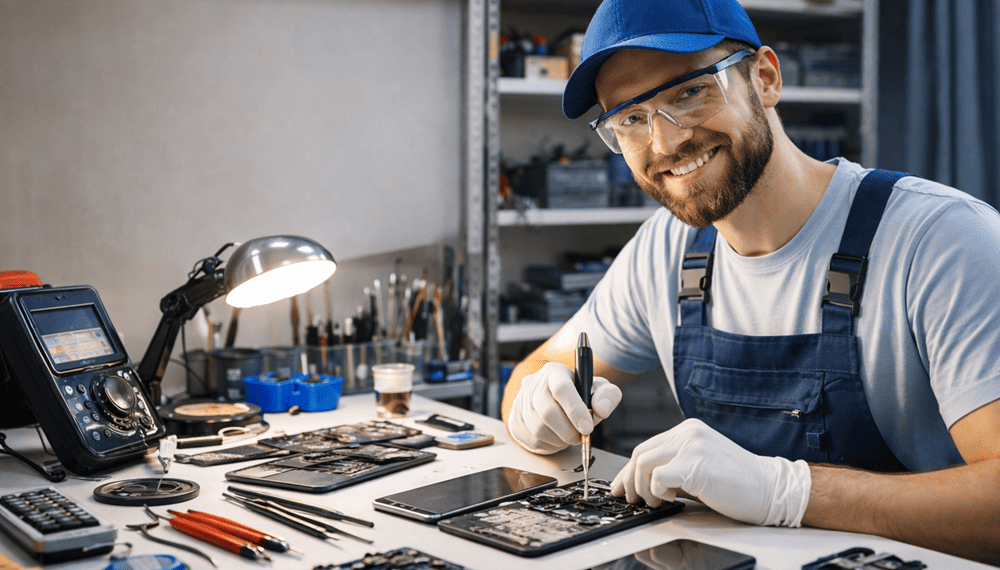
How to Protect Your Phone After a Mobile Repair Service. After a mobile repair service, your phone may look brand new, but it still needs proper care. Therefore, taking the right steps ensures long-term performance and avoids repeat damage. Moreover, many users ignore post-repair care, which often leads to new issues within weeks. Consequently, following simple protection habits helps extend your phone’s life and saves money on future repairs.
At Snapfix Mobile Repairs, we often see devices returning due to careless handling after repair. So, this guide explains practical and easy tips on how to protect your phone after repair service, especially for daily users who depend heavily on smartphones.
Why Post-Repair Phone Care is Important
Even though technicians fix hardware or software issues, your phone remains sensitive. Moreover, repaired parts need time to stabilize properly. Therefore, careful usage becomes essential right after service.
Key Reasons to Protect Your Phone After Repair
- Prevents repeat damage
- Extends device lifespan
- Improves performance stability
- Protects repaired components
- Reduces future repair costs
Additionally, many phones fail again due to minor negligence like drops or overheating. So, small care steps make a big difference.
First 24–48 Hours After Mobile Repair Service
The first two days after repair are very important. Therefore, users must handle the device carefully during this time.
Important Actions Immediately After Repair
- Avoid heavy usage
- Do not install too many apps
- Keep phone away from heat
- Avoid gaming or high CPU usage
- Let battery stabilize
Moreover, if your phone had screen or battery replacement, extra caution is required. Consequently, gentle usage helps internal parts settle properly.
Use Proper Phone Protection Accessories
Accessories play a major role in phone protection after repair. Therefore, investing in quality protection tools is very important.
Essential Protection Accessories Table
| Accessory | Purpose | Protection Level |
|---|---|---|
| Tempered Glass | Screen protection | High |
| Shockproof Case | Drop protection | High |
| Waterproof Cover | Water safety | Medium |
| Charging Cable Protector | Port safety | Medium |
| Camera Lens Guard | Scratch protection | High |
Furthermore, using all accessories together gives full protection. So, your phone stays safe from daily wear and tear.
Avoid Water and Heat Exposure
Water and heat are two major enemies of smartphones. Therefore, extra caution is necessary after repair.
Safety Tips
- Do not use phone in rain
- Avoid bathroom usage
- Keep away from kitchen steam
- Do not expose to sunlight for long time
- Avoid overheating during charging
Additionally, repaired parts may not be fully sealed immediately. So, exposure can cause internal damage.
Sometimes users forget and keep phone near cooking area or hot places, which slowly damage battery and screen, so better avoid completely.
Battery Care After Mobile Repair Service
Battery health is critical after repair. Therefore, proper charging habits improve performance.
Best Battery Protection Tips
- Charge between 20%–80%
- Avoid overnight charging
- Use original charger only
- Do not use phone while charging
- Avoid fast charging continuously
Moreover, improper charging can reduce battery life quickly. Consequently, good habits increase battery durability.
Related Post:
» Cracked Screen? Everything You Need to Know About Phone Repair
» Phone Screen Flickering on Phones: Causes and Repair Options
» Top Benefits of Professional Cracked Screen Repair
» Common Mistakes to Avoid During Cracked Phone Screen Repair
» iPhone Screen Replacement Made Easy: Before and After Repair
Install Software Updates Carefully
After repair, many users rush to update software. However, updates should be done carefully.
Software Update Tips
- Check repair stability first
- Update only official software
- Restart device after update
- Backup important data
- Avoid beta versions initially
Additionally, updates fix bugs but sometimes create new issues. So, caution is always better.
Protect Phone from Physical Damage
Physical protection remains one of the most important factors. Therefore, handling your device carefully is necessary.
Physical Protection Tips
- Avoid dropping phone
- Do not keep in back pocket
- Use secure grip while walking
- Avoid rough surfaces
- Keep away from children and pets
Moreover, most post-repair damages happen due to accidents. So, awareness reduces risk significantly.
Performance Monitoring After Repair
After servicing, it is important to monitor device performance. Therefore, you can detect issues early.
What to Monitor
- Battery drainage speed
- Screen responsiveness
- Heating issues
- Charging speed
- App performance
Additionally, if anything feels unusual, contact repair service immediately. So, small issues do not become big problems.
Common Mistakes Users Make After Phone Repair
Many users unintentionally damage their phones after repair. Therefore, avoiding mistakes is important.
Frequent Mistakes
- Using phone without cover
- Ignoring heating issues
- Installing too many apps
- Dropping phone frequently
- Using duplicate chargers
Moreover, these mistakes often lead to repeat repairs. Consequently, users end up spending more money.
How Snapfix Mobile Repairs Helps Customers
At Snapfix Mobile Repairs, we not only fix devices but also guide customers on post-repair care. Moreover, we ensure every user understands how to maintain their device properly.
Our Support Includes
- Repair warranty guidance
- Maintenance tips
- Battery health advice
- Screen protection suggestions
- Software optimization help
Additionally, we believe customer education reduces future repair needs. So, we always share care instructions after service.
Long-Term Phone Protection Tips
Long-term care ensures your phone remains in good condition for years. Therefore, consistency is key.
Long-Term Care Tips
- Regular cleaning of device
- Use updated antivirus
- Avoid overheating apps
- Keep storage clean
- Restart phone weekly
Moreover, regular maintenance improves performance and reduces lag issues.
Conclusion
Learning how to protect your phone after mobile repair service is just as important as the repair itself. Moreover, proper care ensures your device remains safe, fast, and long-lasting. Therefore, simple habits like using protective accessories, avoiding heat, and managing battery health can make a big difference. At Snapfix Mobile Repairs, we always recommend post-repair care because even a perfectly repaired phone needs responsible usage. So, take small steps daily, and your phone will stay strong for a long time.
Social:
https://in.pinterest.com/pin/1118089045013043254/
https://x.com/snapfixmobile/status/2045070826148614322
https://www.linkedin.com/feed/update/urn:li:share:7450839213765210112/


Comments
Post a Comment