Mobile Phone Water Damage Repair: How to Restore Your Phone
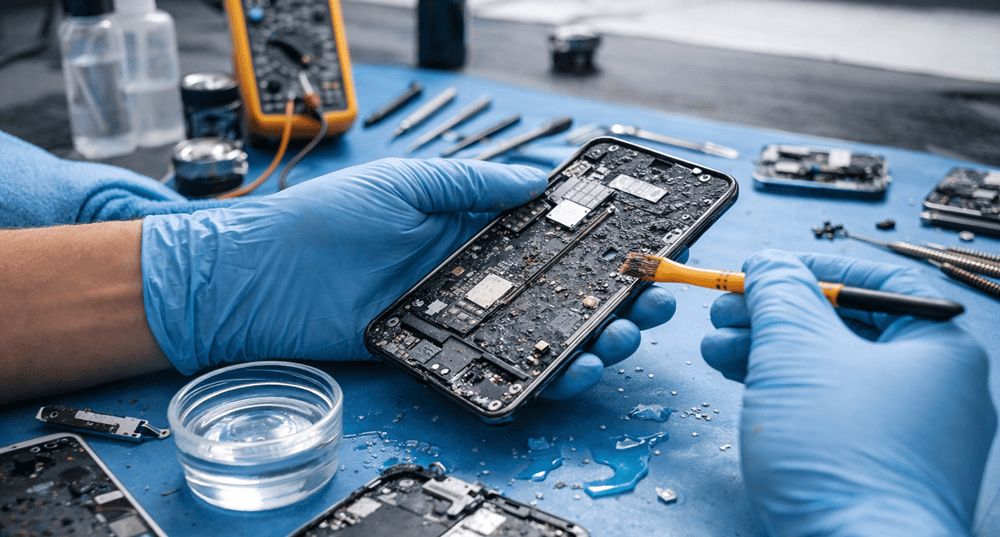
Mobile Phone Water Damage Repair: How to Restore Your Phone. Water and smartphones do not mix. Accidents happen, whether it’s dropping your device in the sink, rain, or even a swimming pool. Many people panic when they see their phone wet, but timely mobile phone water damage repair can save it. At Snapfix Mobile Repairs, we specialise in restoring water-damaged phones quickly and safely.
Why Water Damage is Serious
Water can enter your device and cause short circuits, corrosion, and component failure. Even a small splash can lead to long-term damage if left untreated. Ignoring water exposure can result in:
- Non-functional touchscreen
- Battery issues or overheating
- Permanent data loss
- Costly repairs or phone replacement
| Problem Type | Effect on Phone | Urgency Level |
|---|---|---|
| Water in charging port | Charging issues, corrosion | High |
| Screen exposure | Display problems, touch lag | Medium |
| Battery contact | Short-circuits, overheating | High |
| Internal circuits | Complete device failure | Critical |
Immediate Steps After Water Exposure
When your phone gets wet, every second counts. Here’s what to do immediately:
- Turn off the phone – Powering it on may cause short circuits.
- Remove accessories – Take out SIM cards, memory cards, and cases.
- Dry externally – Use a soft cloth or paper towel; avoid heat sources.
- Avoid DIY fixes – Rice or home kits may not work and can worsen the damage.
- Contact professionals – Seek mobile phone water damage repair experts like Snapfix.
How Snapfix Restores Water-Damaged Phones
At Snapfix, our process ensures that your phone is not only dried but restored to full functionality. The steps include:
- Comprehensive Assessment – We check for internal corrosion and damaged components.
- Disassembly & Cleaning – Each part is cleaned to remove moisture and corrosion.
- Drying Process – Using professional drying machines to eliminate hidden water.
- Component Replacement – Replacing damaged batteries, screens, or connectors if needed.
- Testing & Quality Check – Ensuring all functions, including camera, speaker, and touchscreen, work perfectly.
| Step | Time Required | Success Rate |
|---|---|---|
| Assessment | 15–30 mins | 95% |
| Cleaning & Drying | 1–2 hours | 90% |
| Component Replacement | 30–60 mins | 98% |
| Testing & Quality Check | 15 mins | 100% |
Signs Your Phone Needs Water Damage Repair
Even if your phone appears fine after water exposure, hidden damage may exist. Look out for:
- Random shutdowns or restarts
- Slow performance or app crashes
- Screen flickering or unresponsive touch
- Overheating
- Charging problems
Early repair often prevents permanent damage and data loss.
Related Post:
» Cracked Screen? Everything You Need to Know About Phone Repair
» Phone Screen Flickering on Phones: Causes and Repair Options
» Top Benefits of Professional Cracked Screen Repair
» Common Mistakes to Avoid During Cracked Phone Screen Repair
» iPhone Screen Replacement Made Easy: Before and After Repair
Common Causes of Water Damage
Understanding why water damage happens can help prevent it in the future:
- Accidental drops in water sources
- Rain or condensation exposure
- Spilled beverages
- Humidity or moisture in pockets/bags
DIY vs Professional Repair
Some users attempt DIY fixes like rice or silica packets. While it may help slightly, professional repair ensures:
- Complete moisture removal
- Prevention of corrosion on internal circuits
- Correct replacement of damaged components
- Data safety
DIY attempts may save money initially but often lead to higher repair costs later.
Preventive Tips
After repair, consider these tips to avoid future water damage:
- Use waterproof cases and screen protectors
- Avoid phone use near water bodies
- Regularly check and clean charging ports
- Backup important data frequently
Conclusion
Water damage doesn’t have to mean the end of your phone. With professional mobile phone water damage repair, Snapfix Mobile Repairs restores devices quickly and safely. Acting fast, using proper tools, and seeking expert help ensures your phone is fully functional again. Don’t risk your data or device—contact Snapfix today for reliable repair services.
Social:
https://au.pinterest.com/pin/1118089045012065864/
https://x.com/snapfixmobile/status/2039556058663076082
https://www.linkedin.com/feed/update/urn:li:share:7445322876674822144/


Comments
Post a Comment